Key takeaways
- Small office, club, or occasional visitor badges: a single-sided printer such as the Zebra ZC100 or Magicard 300.
- School IDs with information on both sides: the Zebra ZC300 or Evolis Primacy 2 configured for dual-sided printing.
- Large staff, student, or membership-card programs: the Evolis Primacy 2, especially with a high-capacity ribbon and network connectivity.
- Cards requiring magnetic stripes, contact chips, or contactless credentials: a printer with the matching encoder installed or purchased as an option, such as the Primacy 2, ZC300, or Fargo DTC1250e.
- Limited desk space: a compact single-sided unit; dual-sided models generally need more clearance and have a higher purchase price.
- Occasional color printing on a tight budget: a basic dye-sublimation desktop printer, but compare ribbon waste and replacement availability before buying.
The best ID card printers for businesses and schools are the Evolis Primacy 2 for frequent, flexible issuance; the Zebra ZC300 for straightforward office or campus use; and the HID Fargo DTC1250e when dependable desktop printing and optional encoding matter more than maximum throughput.
The right choice depends less on headline print speed than on four practical questions: do you need one-sided or two-sided cards, will you encode cards or merely print them, how many cards will you produce each month, and can your budget absorb ribbon and cleaning costs?
Our top picks


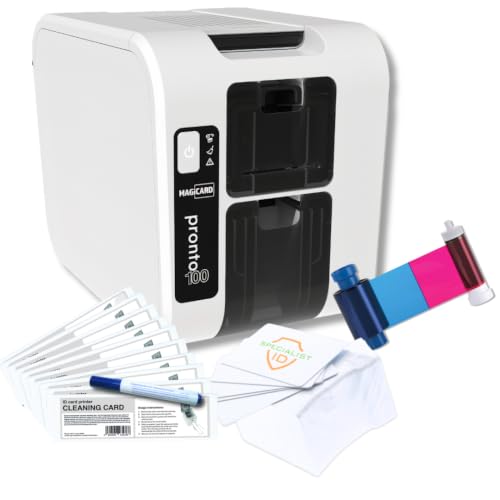

As an Amazon Associate we earn from qualifying purchases at no extra cost to you. Ratings are shown as listed on Amazon.
Quick picks by situation
- Small office, club, or occasional visitor badges: a single-sided printer such as the Zebra ZC100 or Magicard 300.
- School IDs with information on both sides: the Zebra ZC300 or Evolis Primacy 2 configured for dual-sided printing.
- Large staff, student, or membership-card programs: the Evolis Primacy 2, especially with a high-capacity ribbon and network connectivity.
- Cards requiring magnetic stripes, contact chips, or contactless credentials: a printer with the matching encoder installed or purchased as an option, such as the Primacy 2, ZC300, or Fargo DTC1250e.
- Limited desk space: a compact single-sided unit; dual-sided models generally need more clearance and have a higher purchase price.
- Occasional color printing on a tight budget: a basic dye-sublimation desktop printer, but compare ribbon waste and replacement availability before buying.
Head-to-head comparison
The figures below are useful planning numbers rather than guarantees. Actual speed varies with card design, encoding, connection method, print quality, and whether the printer must flip cards internally.
| Printer | Printing | Approx. color speed | Input capacity | Card size and thickness | Typical market price |
|---|---|---|---|---|---|
| Zebra ZC100 | Single-sided | Up to about 150 cards/hour | 100 cards | CR80, about 0.76 mm | $800–$1,200 |
| Zebra ZC300 | Single- or dual-sided, configuration dependent | Up to about 150 cards/hour | 100 cards | CR80, about 0.25–1.02 mm | $1,200–$2,000 |
| Evolis Primacy 2 | Single- or dual-sided | Up to about 235 cards/hour | 100 cards | CR80, about 0.25–1.0 mm | $1,500–$2,500 |
| HID Fargo DTC1250e | Single- or dual-sided, configuration dependent | Up to about 225 cards/hour | 100 cards | CR80, about 0.76 mm | $1,000–$1,800 |
| Magicard 300 | Single- or dual-sided, configuration dependent | Up to about 180 cards/hour | 100 cards | CR80, about 0.76 mm | $900–$1,500 |
Prices commonly vary with the included software, Ethernet connectivity, warranty, ribbon starter kit, and encoding modules. A printer advertised at a low base price may become substantially more expensive once you add duplex printing or a contactless encoder.
Single-sided versus dual-sided printing
Single-sided printing is usually sufficient when the front contains a photograph, name, logo, and expiration date, while policies or instructions are delivered separately. It reduces the initial cost and eliminates the extra handling involved in turning a card over.
Dual-sided printing earns its premium when the reverse side carries a barcode, emergency contact information, access instructions, terms, or a second language. For a school, printing the student ID number and return instructions on the back can avoid manually labeling cards later.
Do not assume every model supports duplex printing simply because its product family does. Some printers require a factory-installed dual-sided module, while others can be upgraded. Confirm the exact configuration and whether the printer automatically flips the card internally.
Encoding: printing a card is not the same as programming it
A photo ID printer places visible text and images on a card. An encoder writes data to a magnetic stripe, contact chip, or contactless chip. These are separate functions and should be specified before purchase.
- Magnetic-stripe encoding: useful for legacy access, loyalty, or time-and-attendance systems. It is inexpensive but less suitable for new security deployments.
- Contact smart-card encoding: writes to an embedded chip through exposed electrical contacts. The card design must include the correct chip and the software must support the credential.
- Contactless encoding: programs cards such as RFID or NFC-based credentials without physical contact. The printer needs the correct reader and compatible card technology.
- Combination encoding: some models can combine magnetic, contact, and contactless options, but each module adds cost and integration work.
Ask the access-control or student-information-system supplier which card technology and data format are required. Buying a printer with an encoder that cannot communicate with your existing system creates an expensive printing station that still cannot issue usable credentials.
Choosing by workload, not just speed
| Monthly volume | Recommended approach | What matters most |
|---|---|---|
| 1–50 cards | Basic single-sided desktop printer | Simple software, low maintenance, readily available ribbons |
| 50–300 cards | Midrange printer with Ethernet and optional duplex | Reliable feeding, batch templates, replacement-part support |
| 300–1,000 cards | Fast dual-sided model with larger ribbon options | Throughput, queue management, cleaning access, warranty |
| More than 1,000 cards | High-volume issuance workflow or multiple networked printers | Downtime planning, spare supplies, centralized card software |
For a school issuing 600 IDs before the academic year, a printer rated at 150 cards per hour may appear adequate. In practice, allow time for photographing students, correcting records, replacing misfed cards, encoding credentials, and reprinting errors. A two- to four-hour print estimate can become a full operational day. A faster printer or a second unit may be more valuable than a small saving on the initial purchase.
Supply costs can outweigh the printer price
Most direct-to-card printers use a dye-sublimation ribbon. A typical full-color ribbon supports roughly 200–300 cards, depending on the model and whether it prints one or both sides. Monochrome ribbons can support hundreds or thousands of cards and are appropriate for simple black text or numbering.
As a worked example, suppose a color ribbon costs $90 and is rated for 250 cards. Its ribbon cost is:
$90 ÷ 250 = $0.36 per printed card
Add a blank PVC card costing approximately $0.20–$0.60, and the basic media cost is about $0.56–$0.96 per card before labor, software, encoding chips, cleaning kits, and failed prints. A full-color two-sided design may not double the ribbon cost exactly, but heavy coverage and ribbon panels can reduce the practical yield.
For durable cards, use compatible PVC or composite cards specified by the printer. Plain PVC is common and inexpensive, while composite cards are often preferred when cards will be laminated or exposed to heat. Avoid bargain cards with uneven edges or poor surfaces; they can cause feeding problems, muted colors, and premature printhead wear.
Ownership realities and maintenance
The printhead and card-feed path are usually the parts most affected by dust, adhesive residue, and low-quality cards. Cleaning is inexpensive compared with replacing a printhead or losing a batch of cards.
- Keep unused cards sealed until needed, and handle them by the edges.
- Run the manufacturer’s cleaning routine at the recommended interval or after a dusty batch.
- Inspect cards for warped edges, scratches, and embedded debris before loading them.
- Keep the printer level and leave room for ribbon replacement and card-jam access.
- Use the exact ribbon type intended for the model; incompatible ribbons may produce poor color or trigger errors.
- Print a test card after changing a template, driver, ribbon, or encoding configuration.
Common mistakes include buying a single-sided printer for a two-sided policy, forgetting that a contactless encoder requires compatible chip cards, and assuming a “300-card-per-hour” figure includes photographing, data validation, and encoding. Also check whether the supplied software supports multiple operators, audit logs, database imports, and secure handling of student or employee photographs.
Final buying recommendation
Choose the Zebra ZC100 or Magicard 300 for occasional, uncomplicated single-sided IDs. Choose the Zebra ZC300 when a school or office needs a user-friendly path to duplex printing and optional encoding. Choose the Evolis Primacy 2 for higher recurring volume, flexible single- or dual-sided production, and a broader range of encoding and connectivity options. Consider the HID Fargo DTC1250e when it aligns with an existing HID credential or access-control environment.
Before ordering, obtain the exact total for the printer configuration, encoder, ribbons, blank cards, cleaning supplies, software, warranty, and expected annual volume. That total cost of ownership—not the lowest box price—is the best way to identify the best ID card printers for businesses and schools.