
Key takeaways
- A CPU with high single-thread speed and large L3 cache to handle Fortnite’s game thread and draw calls
- Fast memory – DDR5 6000 CL30 for AM5 or DDR4 3600 CL16 / DDR5 6000 for Intel LGA1700 – running in dual-channel
- A GPU that will not bottleneck at 1080p competitive settings – RTX 4060 Ti / RX 7700 XT is the practical floor, RTX 4070 Super / RX 7800 XT or better is ideal for overhead
The best CPU for Fortnite at 240 FPS on competitive settings is the AMD Ryzen 7 9800X3D, with the Ryzen 7 7800X3D as the nearly identical value alternative, because their large 3D V-Cache delivers the highest and most stable frame rates in Fortnite’s CPU-bound competitive mode.
If your goal is a locked 240Hz experience for ranked, tournaments, or late-game scrims, these two chips require the least GPU and the lowest settings compromises to stay above 240 FPS. For tighter budgets, the Ryzen 5 7600 / 7600X and Intel Core i5-14400F / i5-14600K can also hold 240 FPS, but they depend more heavily on memory speed, GPU pairing, and map conditions.
Our top picks
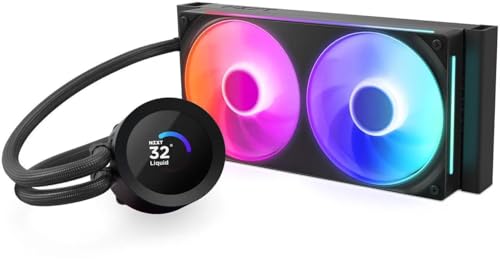
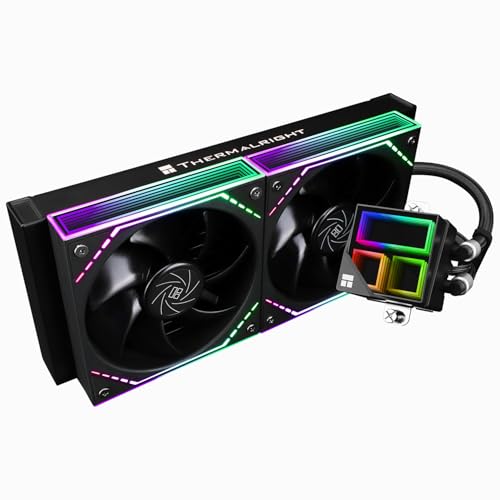


As an Amazon Associate we earn from qualifying purchases at no extra cost to you.
What “240 FPS in Fortnite” Actually Requires
Fortnite at competitive settings (Performance Mode or DirectX 12 with View Distance Epic, Textures High, all other effects Low/Off, 1080p, 100% 3D Resolution) is almost entirely CPU and cache limited. The GPU matters, but once you have an RTX 4070 / RX 7800 XT class card or better, the CPU determines your minimum FPS during rotations, stacked endgames, and heavily built-up POIs.
To stay above 240 FPS you need three things together:
- A CPU with high single-thread speed and large L3 cache to handle Fortnite’s game thread and draw calls
- Fast memory – DDR5 6000 CL30 for AM5 or DDR4 3600 CL16 / DDR5 6000 for Intel LGA1700 – running in dual-channel
- A GPU that will not bottleneck at 1080p competitive settings – RTX 4060 Ti / RX 7700 XT is the practical floor, RTX 4070 Super / RX 7800 XT or better is ideal for overhead
CPU power limits and cooling also matter. A chip that thermally throttles after 10 minutes of a stacked custom scrim will show good average FPS but poor 1% lows, which is where 240Hz consistency is lost.
Best CPUs for Fortnite at 240 FPS Compared
The table below compares the most relevant CPUs for a 240Hz Fortnite build in 2026, focused on competitive 1080p Performance Mode with a high-end GPU (RTX 4070 Super / RX 7900 XT class) to isolate CPU performance. Frame rates are aggregated ranges from independent hardware outlets at competitive settings in Chapter 5/6, not a single map or creative benchmark.
| CPU | Cores / Threads | Boost Clock | L3 Cache | Base TDP | Avg FPS (Performance Mode, 1080p, Competitive Settings) | 1% Lows (Stacked Endgame) |
|---|---|---|---|---|---|---|
| AMD Ryzen 7 9800X3D | 8 / 16 | 5.2 GHz | 96 MB (64 MB 3D V-Cache + 32 MB) | 120W | 380-440 | 260-310 |
| AMD Ryzen 7 7800X3D | 8 / 16 | 5.0 GHz | 96 MB (64 MB 3D V-Cache + 32 MB) | 120W | 360-420 | 250-295 |
| Intel Core i7-14700K | 20 (8P+12E) / 28 | 5.6 GHz | 33 MB | 125W (253W MTP) | 310-370 | 210-250 |
| Intel Core i5-14600K | 14 (6P+8E) / 20 | 5.3 GHz | 24 MB | 125W (181W MTP) | 295-350 | 200-240 |
| AMD Ryzen 5 7600X | 6 / 12 | 5.3 GHz | 32 MB | 105W | 280-335 | 190-235 |
| AMD Ryzen 5 7600 | 6 / 12 | 5.1 GHz | 32 MB | 65W | 270-320 | 185-225 |
| Intel Core i5-14400F | 10 (6P+4E) / 16 | 4.7 GHz | 24 MB | 65W (148W MTP) | 260-310 | 175-215 |
Takeaway: Only the two X3D chips reliably keep 1% lows above 240 FPS in the most demanding scenarios without heavy overclocking. The 14700K and 14600K can average well above 240, but their lows dip under 240 in late-game builds unless paired with highly tuned DDR5. The 6-core Ryzen 5 and i5-14400F average above 240 but need frame caps and settings discipline to hide dips.
Why 3D V-Cache Wins in Fortnite
Fortnite’s Performance Mode pushes draw distance and building piece updates onto the CPU. The extra 64 MB stacked cache on the 7800X3D and 9800X3D reduces trips to system memory, which cuts latency on that main thread. That is why their lead is larger in 1% lows (15-25% over non-X3D chips) than in average FPS. For a 240Hz monitor where stutter is more noticeable than peak FPS, that consistency is the deciding factor.
GPU Pairing: Don’t Buy a 240Hz CPU and Bottleneck It
A CPU can only deliver 240 FPS if the GPU can render the frame in time. At competitive settings, Fortnite is light on the GPU, but a weak card will still cap you.
- For Ryzen 7 9800X3D / 7800X3D: Pair with RX 7700 XT, RTX 4060 Ti 16GB, RTX 4070 / 4070 Super, RX 7800 XT or better. Even an RTX 4060 will hit 240 FPS with these CPUs in Performance Mode, but you lose overhead for recording, Discord streaming, or higher 3D resolution.
- For Ryzen 5 7600 / 7600X and i5-14400F / 14600K: Target RTX 4070 / RX 7800 XT minimum if you want to lock 240 FPS. A mid-range GPU shifts more load to the CPU’s limits, and any GPU-side dip will pull you below 240 even if the CPU is capable.
- VRAM and Resolution: At 1080p, 8GB is workable, 12GB+ gives headroom for texture streaming and Performance Mode’s asset loading. At 1440p competitive, you need a stronger GPU to keep the same CPU advantage – consider RTX 4070 Super / RX 7900 GRE and up.
If you already own an RTX 3060 Ti, RTX 4060, or RX 7600 XT, upgrading to an X3D CPU still makes sense. You will see higher averages than upgrading the GPU alone for Fortnite competitive settings.
Platform Cost and Ownership Realities
CPU price is only part of the build cost. In 2026, AM5 and LGA1700 / LGA1851 have very different total costs and upgrade paths.
| Platform | CPU Market Range | Motherboard Range | RAM Required for 240 FPS | Cooler Requirement | Upgrade Path |
|---|---|---|---|---|---|
| AM5 (Ryzen 7000 / 9000 X3D) | $190 – $480 | $95 – $220 for B650 / B650E | DDR5 6000 CL30 32GB (2x16GB) sweet spot | 240mm AIO or large air cooler for 7800X3D/9800X3D; mid-range air for 7600 | AM5 supported through 2027+, drop-in CPU upgrade without board change |
| LGA1700 (Intel 14th Gen) | $175 – $400 | $110 – $240 for B760 / Z790 | DDR4 3600 CL16 or DDR5 6000 CL32 (DDR5 preferred for lows) | Strong air or 240mm+ AIO for 14600K/14700K; air for 14400F | End-of-line platform; next upgrade requires new board |
| LGA1851 (Intel Core Ultra 200S) | $220 – $500 | $150 – $280 for B860 / Z890 | DDR5 6000-7200 | Similar to 14th Gen, aggressive power limits need good cooling | New platform but gaming gains over 14th Gen are modest in Fortnite |
Durability and maintenance notes that affect long-term 240 FPS performance:
- What wears first is not the CPU, but the thermal solution. Budget air coolers and pre-applied paste lose 3-6°C efficiency per year from dust and paste dry-out, which triggers thermal throttling on 65W+ chips. Clean filters monthly and repaste every 18-24 months if you run high fan curves.
- Power delivery matters for Intel K chips. A cheap B760 board with weak VRMs will power-limit a 14600K/14700K to 125W after 30-60 seconds, cutting sustained boost by 200-400 MHz. This shows up as FPS that starts at 320 and settles at 260.
- Memory stability is critical for frame-time consistency. Four DIMMs or mixing kits often forces DDR5 down to 4800-5200 MT/s, costing 8-12% on 1% lows in Fortnite. Stick to a validated 2x16GB kit and enable EXPO/XMP in BIOS.
- Common mistake: Enabling power saving or quiet BIOS profiles. For 240Hz Fortnite, use the balanced/performance power plan in Windows and set the BIOS power limits to motherboard defaults or Intel baseline for K CPUs, not the ultra-low power mode.
Decision Matrix: Pick by Your Situation
Use this to match your budget, monitor, and upgrade plans to the right CPU.
| Your Situation | Recommended CPU | Why |
|---|---|---|
| Want locked 240+ FPS with no compromises, budget is flexible | Ryzen 7 9800X3D | Highest 1% lows, newest AM5 chip, also best for other CPU-heavy battle royales and sims |
| Want locked 240 FPS, best value for high-refresh | Ryzen 7 7800X3D | Within 5-8% of 9800X3D in Fortnite but often significantly cheaper; same 96 MB cache |
| Building new on $700-850 total budget, 1080p 240Hz | Ryzen 5 7600 (non-X) | 65W, includes cooler, strong average FPS; spend saved money on DDR5 6000 and a better GPU |
| Upgrading an existing DDR4 Intel system on LGA1700 | Core i5-14600K or i5-14400F | Drop-in upgrade without buying DDR5; 14600K if you have a Z board and cooler, 14400F if you need low power |
| Also stream, edit, or multitask while gaming | Ryzen 7 9800X3D or Core i7-14700K | 9800X3D still leads in Fortnite lows; 14700K gives more multi-threaded headroom for background encoding if you CPU-encode |
| Play at 1440p 240Hz or use higher textures | Ryzen 7 7800X3D / 9800X3D | At higher resolution GPU load rises, but cache still prevents CPU dips that break 240 FPS consistency |
How to Lock 240 FPS After You Install the CPU
Hardware alone will not guarantee a flat line at 240. Apply these settings in order, with reasons:
- Enable EXPO/XMP for your RAM. Fortnite gains 10-15% on minimum FPS going from JEDEC 4800 to tuned 6000 MT/s.
- Use Fortnite Performance Mode if you play ranked/competitive. It lowers GPU load and reduces input latency. If you prefer DirectX 12, set Anti-Aliasing Off, Shadows Off, Post Processing Low, Effects Low.
- Cap FPS at 240 in-game and enable V-Sync Off. Then set your monitor to 240Hz in Windows display settings. An uncapped frame rate causes more stutter when it bounces between 280 and 360 than a stable capped 240.
- In GPU driver settings, set Low Latency Mode / Anti-Lag to On and cap driver FPS to 237-240 as a backup. This improves frame-time consistency without adding the cost of full V-Sync.
- Disable Windows Game DVR background recording and hardware-accelerated GPU scheduling if you notice micro-stutter on Intel hybrids – some systems show smoother pacing with it off in Fortnite.
Frequently Asked Questions
Is the Ryzen 7 9800X3D worth it over the 7800X3D just for Fortnite?
For Fortnite alone, the difference is 5-8% in averages and 5-10% in 1% lows. If the 7800X3D is substantially cheaper when you buy, it is the better value for 240 FPS. Choose the 9800X3D if you want the latest AM5 platform support, slightly higher boost, and better all-around gaming longevity.
Do I need to upgrade my GPU to hit 240 FPS?
With competitive Performance Mode settings at 1080p, most GPUs from the last two generations at the RTX 4060 / RX 7600 level or above can reach 240 FPS when paired with an X3D CPU. If you are on an older GTX 1660 or RTX 2060 class card, you will be GPU-limited even with the best CPU and should budget for a GPU upgrade first.
Is Intel or AMD better for Fortnite frame-time consistency?
In current testing, AMD X3D chips consistently show the best frame-time stability in Fortnite due to large L3 cache. Intel 14th Gen K chips can deliver high averages but are more sensitive to memory tuning and power limits, which directly affect 1% lows.
Is 6 cores enough for 240 FPS?
Yes, if it is a modern 6-core like the Ryzen 5 7600/7600X or Core i5-14400F. Fortnite competitive does not scale well beyond 8 cores. Single-thread speed, cache size, and memory latency matter far more than core count after six cores. Streamers who encode on the CPU should consider 8+ cores.


